Terminal UI
Render React or Solid components to a terminal — same components, same host, same pixels
uniview's TUI stack renders React or Solid components straight to a terminal — no DOM, no browser. Panels, lists, mouse, focus, markdown, syntax highlighting, charts.
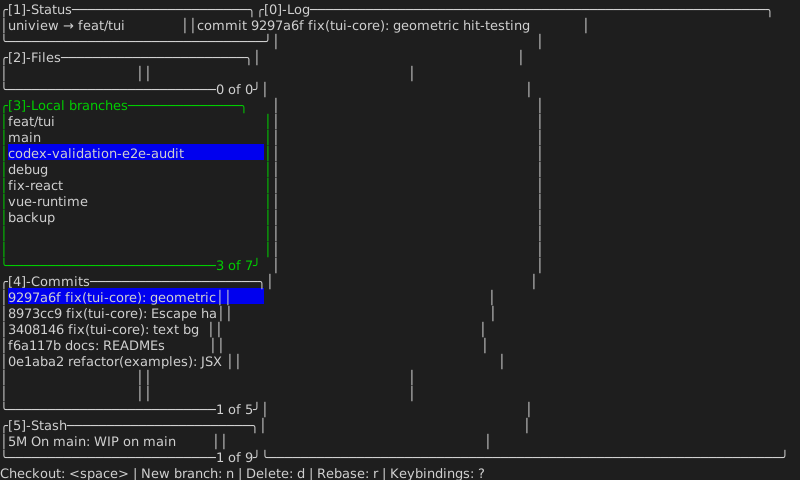
Every screenshot on these pages is a real frame. They are generated by running the
example and swapping one line — AnsiCellSurface for SvgCellSurface — so they
cannot drift from the code that produces them.
The whole point: the framework is not the renderer
The same application, written once in React and once in Solid, produces byte-identical output:
$ pnpm --filter @uniview/tui-lazygit-demo  snapshot   # React
$ pnpm --filter @uniview/tui-lazygit-solid snapshot   # Solid
$ cmp lazygit-react.svg lazygit-solid.svg && echo identical
identical
That is not a coincidence — it is the architecture. React and Solid each produce a
serialized UINode tree, and everything below that point is shared:
React ─┐
       ├─→ UINode tree ─→ internal host layer ─→ tui-core ─→ cells ─→ terminal
Solid ─┘
Prop interpretation, layout, painting, diffing and input routing all live below the
framework line. Adding a third framework means writing a renderer that emits UINode —
nothing else changes.
Not just boxes and text
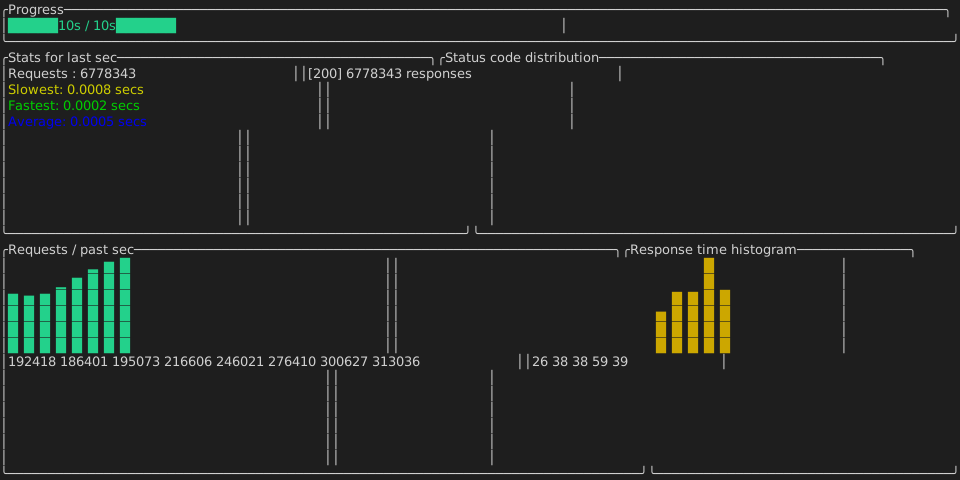
Charts are built on eighth-block and braille sub-cell rasterisation, so a line plot gets 2×4 the resolution of the character grid:
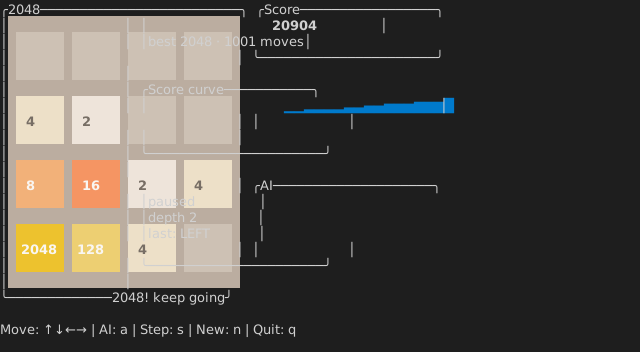
And since tiles are just colored boxes, a whole game needs no new render primitive — here is 2048 being played by a trained n-tuple network with expectimax search:
Where to go next
- Getting started — render your first frame.
- Components — panels, lists, markdown, diffs, input.
- Charts — bars, sparklines, gauges, line plots, scatter.
- Solid — the Solid binding, and three traps that will bite you.
- Examples — the four demos, and how to run them.